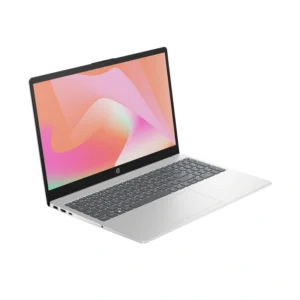
Choosing the best laptop in Bangladesh can be challenging because there are many brands, models, specifications, and price ranges available. Whether you are a student, freelancer, office worker, business owner, or gamer, selecting the right laptop can help you work more efficiently and enjoy a better computing experience.
In 2026, laptops offer improved performance, faster storage, better displays, and longer battery life. Popular brands such as Lenovo, HP, Dell, ASUS, Acer, and Apple provide options for different budgets and needs. However, the best laptop for you depends on how you plan to use it and how much you want to spend.
This guide explains the essential laptop specifications, leading brands, important features, and practical buying tips to help you choose the best laptop in Bangladesh.
1. Lenovo Laptops: Excellent for Everyday Use
Lenovo is a popular laptop brand known for its practical designs, comfortable keyboards, and broad range of models. Its IdeaPad, ThinkPad, and Yoga series serve different types of users.
The Lenovo IdeaPad series is suitable for students, home users, and office workers. These laptops can handle web browsing, online classes, document editing, video streaming, and everyday multitasking.
The ThinkPad series is designed primarily for business users who value productivity, keyboard comfort, and durability. Some models also offer useful business security features.
The Yoga series includes flexible laptops with premium designs, and selected models feature touchscreen displays.
For most users, a Lenovo laptop with an Intel Core i5 or AMD Ryzen 5 processor, 16 GB RAM, and a 512 GB SSD is a good starting point.
2. HP Laptops: Reliable Options for Students and Professionals
HP offers laptops for education, business, personal use, and gaming. Its Pavilion, OmniBook, ProBook, and EliteBook families cover different needs and price levels.
HP laptops can be suitable for students who need a device for assignments, presentations, research, and online classes. For professionals, selected business models offer improved security, durable construction, and useful connectivity options.
When buying an HP laptop, consider the processor generation, RAM capacity, SSD storage, display quality, and battery performance rather than choosing by brand name alone.
A model with 16 GB RAM and a modern processor can provide a comfortable experience for office applications, web-based business tools, and multitasking.
3. Dell Laptops: Suitable for Business and Productivity
Dell is another established laptop manufacturer with options for home users, students, and professionals. Its Inspiron, Latitude, and XPS families target different market segments.
Inspiron laptops are designed for general-purpose computing. Latitude models focus on business productivity, while XPS models generally emphasize premium design, display quality, and performance.
If you need a laptop for office work, accounting software, spreadsheets, video meetings, or business management, a Dell laptop with a modern processor and sufficient memory may be a suitable choice.
Before purchasing, check the exact model’s specifications, warranty coverage, keyboard layout, available ports, and local service options.
4. ASUS Laptops: Good Choices for Performance and Design
ASUS offers laptops for students, content creators, professionals, and gamers. Its VivoBook, Zenbook, TUF Gaming, and ROG series have different strengths.
The VivoBook series is worth considering for everyday tasks, study, freelancing, and office work. Zenbook models generally focus on portability and premium features.
For gaming and demanding creative applications, the TUF Gaming and ROG series offer configurations with dedicated graphics processors.
If your work involves graphic design, video editing, or animation, pay attention to the graphics processor, screen color accuracy, cooling system, and memory capacity. A dedicated GPU can make a significant difference in supported creative applications.
5. Acer Laptops: Budget-Friendly Options
Acer is known for offering laptops across several price categories. Its Aspire series is aimed at general users, while Nitro and Predator models target gamers.
An Acer Aspire laptop with a modern processor, 16 GB RAM, and SSD storage can be a practical choice for students and freelancers. It can handle common tasks such as browsing, word processing, online meetings, and lightweight photo editing.
Acer Nitro models may appeal to buyers looking for gaming performance at a competitive price.
Compare the complete specifications before choosing a model. Two laptops with similar prices may have significantly different displays, processors, graphics capabilities, and upgrade options.
6. Apple MacBook: A Premium Option for Creative Work
Apple’s MacBook Air and MacBook Pro laptops are popular among professionals, developers, business users, and content creators.
The MacBook Air is generally a good option for people who want portability, quiet operation, strong battery life, and smooth performance for everyday tasks. The MacBook Pro is designed for users who need additional performance for demanding workloads, depending on the configuration.
MacBooks can be useful for writing, web development, photo editing, video production, and digital marketing. However, buyers should check software compatibility before choosing macOS, particularly if they depend on Windows-only applications.
Apple laptops can also cost more than many Windows alternatives. Consider your total budget, memory requirements, storage needs, and repair costs before buying.
7. Which Laptop Specifications Are Best?
Laptop specifications affect speed, multitasking, storage capacity, and the ability to run demanding software.
Processor: For everyday work, look for a recent Intel Core i3 or equivalent processor at the entry level, or a modern Core i5/Core Ultra 5 or AMD Ryzen 5 for a stronger all-round experience. Demanding creative workloads may benefit from higher-tier processors.
RAM: 8 GB can be sufficient for basic use, but 16 GB is a better target for multitasking, freelancing, and productivity. Heavy creative work may benefit from 32 GB or more.
Storage: Choose an SSD rather than relying on a traditional hard drive as the primary system drive. A 512 GB SSD is a practical starting point for most users.
Display: A Full HD display is suitable for general work. Content creators should also consider color accuracy, brightness, and panel quality.
Battery: Battery life depends on the model, workload, display, and battery condition. Check independent reviews instead of relying only on advertised figures.
Graphics: Integrated graphics are sufficient for many office and study tasks. Gaming, 3D rendering, and some video-editing workflows benefit from a dedicated graphics processor.
8. Best Laptop for Students in Bangladesh
Students usually need a laptop for assignments, online classes, research, presentations, and browsing. A lightweight laptop with a comfortable keyboard and good battery life can make daily study easier.
For most students, a modern Core i3 or Ryzen 3 system with 8 GB RAM and an SSD may be sufficient for basic tasks. If your budget allows, choose 16 GB RAM and a 512 GB SSD for better multitasking and longer-term usefulness.
Computer science students may need additional memory and processing power for programming, virtual machines, or specialized development software.
9. Best Laptop for Freelancing and Digital Marketing
Freelancers need different specifications depending on their services. Digital marketers often work with browser tabs, spreadsheets, analytics dashboards, social media platforms, and advertising tools.
For this type of work, a laptop with a modern Core i5 or Ryzen 5 processor, 16 GB RAM, and a 512 GB SSD is a strong general-purpose choice.
Graphic designers should consider screen quality and color accuracy. Video editors may need a more powerful processor, additional RAM, and dedicated graphics.
For web development, prioritize sufficient memory, a good keyboard, and compatibility with your development tools.
10. Best Laptop for Gaming
Gaming laptops require different specifications from standard office laptops. The graphics processor is especially important because it affects gaming performance and visual quality.
Look for a gaming laptop with a capable dedicated GPU, a suitable modern processor, at least 16 GB RAM, and SSD storage. A high-refresh-rate display can improve the experience in supported games.
Popular gaming families include ASUS TUF Gaming and ROG, Acer Nitro and Predator, and selected Lenovo LOQ and Legion models.
Remember that gaming laptops can be heavier, noisier, and less efficient on battery than ordinary productivity laptops. Compare GPU models, cooling performance, display specifications, and warranty coverage before purchasing.
11. Laptop Price in Bangladesh
Laptop prices in Bangladesh vary according to brand, processor, memory, storage, graphics, warranty, and retailer. Imported models, exchange rates, and product availability can also affect prices.
Entry-level laptops generally cost less than premium ultrabooks and gaming systems. Business laptops may command higher prices because of their construction and security features, while high-performance gaming laptops can be considerably more expensive.
Before buying, compare prices from reputable Bangladeshi retailers and verify the exact model number. Ask whether the laptop has an official local warranty, what accessories are included, and whether the device is new or refurbished.
Do not select a laptop based on price alone. A slightly more expensive configuration with sufficient RAM and SSD storage may provide better long-term value.
12. Tips for Buying the Best Laptop
Follow these practical tips before making your purchase:
-
Set a realistic budget based on your needs.
-
Choose specifications that match your everyday workload.
-
Prefer SSD storage for faster startup and application loading.
-
Consider 16 GB RAM if you regularly multitask.
-
Check the display, keyboard, ports, webcam, and battery.
-
Verify the exact model number and warranty conditions.
-
Compare prices from trusted sellers.
-
Check whether RAM and storage can be upgraded.
-
Read independent reviews of the specific configuration.
-
Confirm software compatibility before choosing Windows or macOS.
Conclusion
The best laptop in Bangladesh in 2026 depends on your budget and intended use. Lenovo and HP offer practical options for everyday productivity, Dell provides business-focused models, ASUS and Acer offer choices across several price categories, and Apple MacBooks appeal to users seeking a premium portable experience.
For most students, freelancers, and office workers, a laptop with a modern mid-range processor, 16 GB RAM, and a 512 GB SSD is a sensible starting point. Gamers and professional creators should prioritize graphics performance, cooling, and display quality.
Compare the specifications, warranty, and price of the exact model before purchasing. Choosing a laptop that matches your real requirements will help you get better value and a more satisfying experience over time.